

Mapper is used to connect user intents and entities to appropriate responses happens. Think of mappers as bridges: they interpret user input, based on the identified intents and entities, and guide the system to the best-suited actions or replies. By configuring mappers, you ensure that your chatbot doesn’t just understand the user but also takes meaningful steps in response.
Creating a Mapper
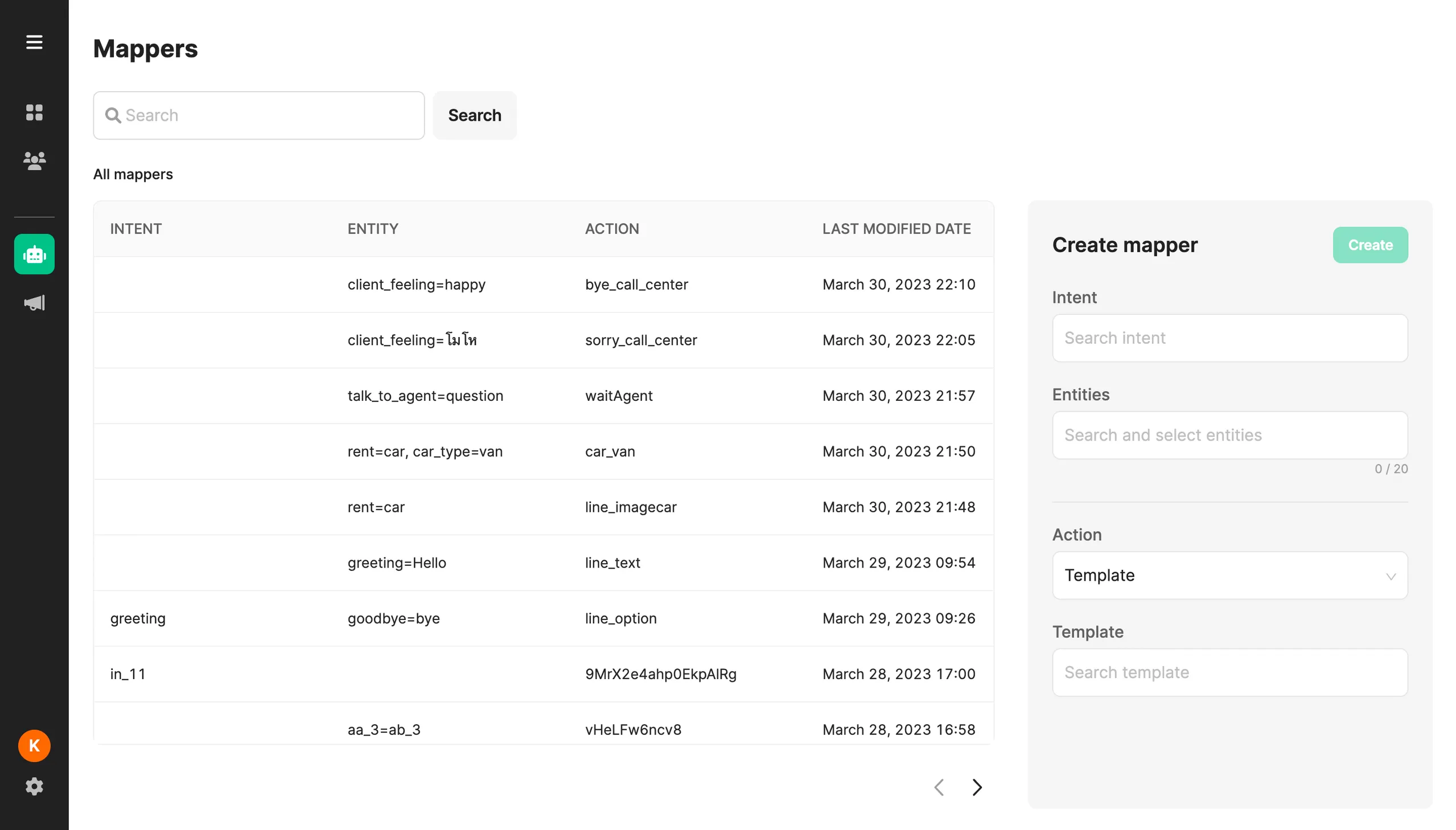
Section titled “Creating a Mapper”- Navigate to Chatbot > Mapper
- Access the Create Mapper section.
- Select:
- Intent (with or without Entities)
- Entities (with or without an Intent)
- Select an Action
- Template: Send out a message template when this mapper is executed.
- Flow: Trigger a conversation flow on Chatlogic (Advance Plan only)
- After entering all the required information, click the Create button.
Editing a Mapper
Section titled “Editing a Mapper”- From the list on the left, choose the Mapper you wish to edit.
- Update the necessary fields, ensuring adherence to the guidelines provided in the Create Mapper section.
- Once all modifications are complete, click Update.
Deleting a Mapper
Section titled “Deleting a Mapper”- From the list on the left, select the Mapper you want to remove.
- Click on the bin/trash icon.
- To confirm the deletion, click Delete.
Searching for a Mapper
Section titled “Searching for a Mapper”- Begin your search query with the correct starting characters.
- Type in the name of the Mapper in the search bar and then either press Enter or click Search.
- To return to the main Mapper page, clear the input field and then press Enter or click Search.
- Note that your search can target the intent, entity, or action for each query.
- The Mapper list is organized based on the Last Modified Date.
Was this page helpful?
Thank you for your feedback!