

Here, you’ll be diving into the specific details and nuances that make user messages unique. While intents capture the broader goals of user interactions, entities focus on the specific pieces of information users provide. Whether it’s a location, a date, a product name, or any other specific detail, entities help your chatbot grasp and utilize these finer points to generate more precise and contextual responses. By defining and managing entities in this section, you equip your chatbot with the tools to engage in richer, more informed conversations.
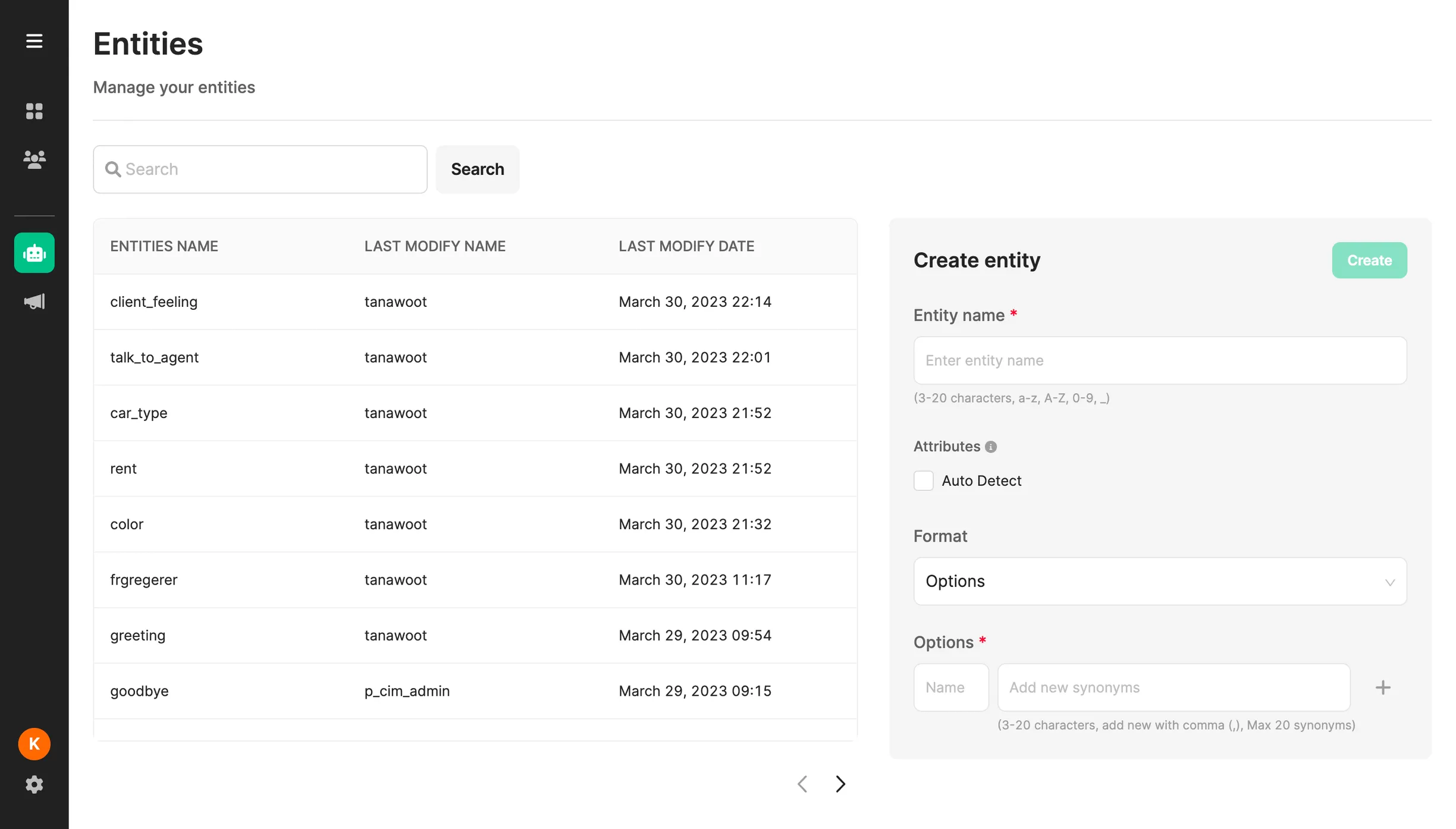
Creating Entities
Section titled “Creating Entities”To create a new entity:
- Go to Chatbot > Entity
- Click Create Entity
- Enter Entity Name
- Select Attribute:
- Auto Detect - When disabled the entity will only be analyzed when the bot is asking for the entity. When enabled the entity will be automatically for all incoming messages.
- Choose Format Type (see table below)
- Click Create
Edit Entity
Section titled “Edit Entity”- Locate the entity you wish to edit from the list on the left side.
- Update the necessary fields. Ensure that all product specifications adhere to the guidelines provided in the table above.
- Once you’ve made the necessary changes, click the Update button.
- Note: The format of the entity cannot be altered.
Delete Entity
Section titled “Delete Entity”- Choose the entity you intend to delete from the list on the left side.
- Click on the trash bin icon to initiate the deletion process.
- Confirm your intention by selecting Delete.
Search Entity
Section titled “Search Entity”- To search for an entity, begin by typing its name.
- Input the desired name and either press Enter or click the Search button.
- To return to the main entity page, clear the search input and either press Enter or click the Search button again.
Supported Entities Format
Section titled “Supported Entities Format”| Format | Details |
|---|---|
| Options |
|
| Number |
|
| Date |
|
| Location |
|
| Country |
|
| Phone |
|
|
|
| Text |
|
| Custom |
|
Was this page helpful?
Thank you for your feedback!