

Customer Satisfaction Survey
The Customer Satisfaction Survey feature is a valuable tool designed to gather feedback scores and suggestions from users at the conclusion of a conversation.
Once an agent closes a ticket, the survey is automatically triggered and sent to the user, awaiting their feedback.
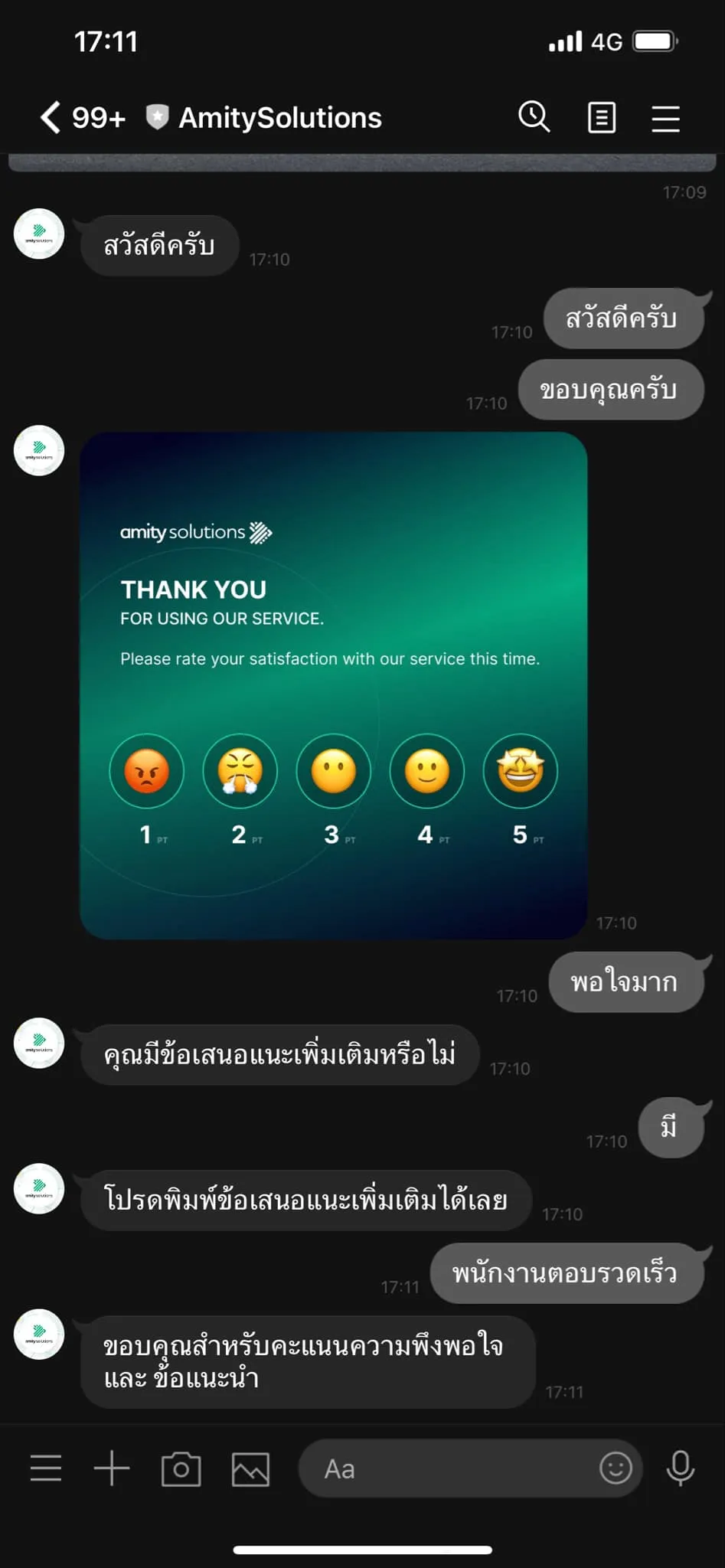
Survey Type
Section titled “Survey Type”How to setting the customer satisfaction survey
Platform and supported message type
Section titled “Platform and supported message type”| Platform | Quick Reply | External Link | Image Map |
|---|---|---|---|
| LINE | ✅ | ✅ | ✅ |
| Messenger | ✅ | ✅ | ❌ |
| Webchat SDK | ✅ | ✅ | ✅ |
Quick Reply
Section titled “Quick Reply”| Field | Spec |
|---|---|
| Question | 1 - 2000 characters |
| Options | 2 - 10 options |
| Options label | 1 - 20 characters |
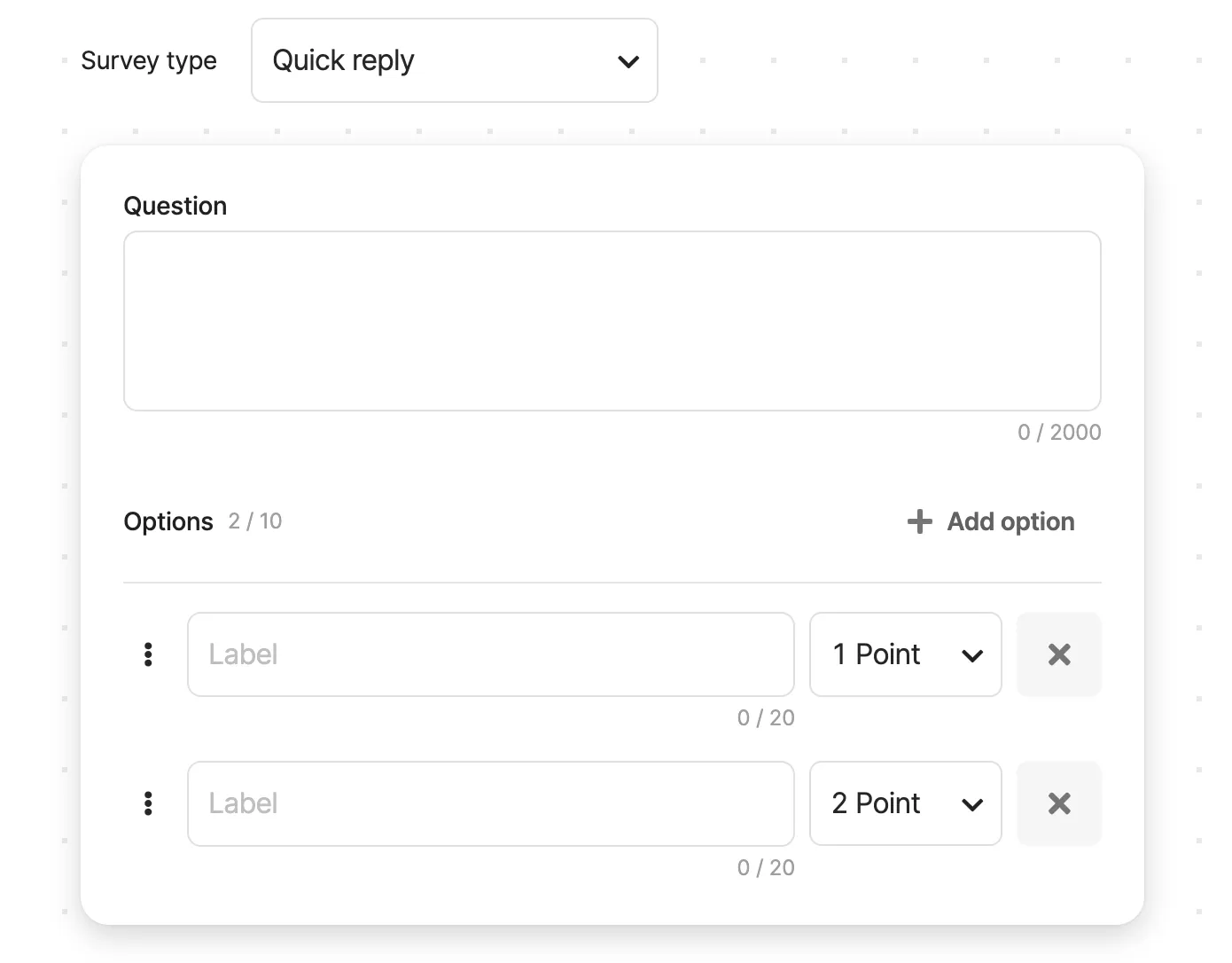
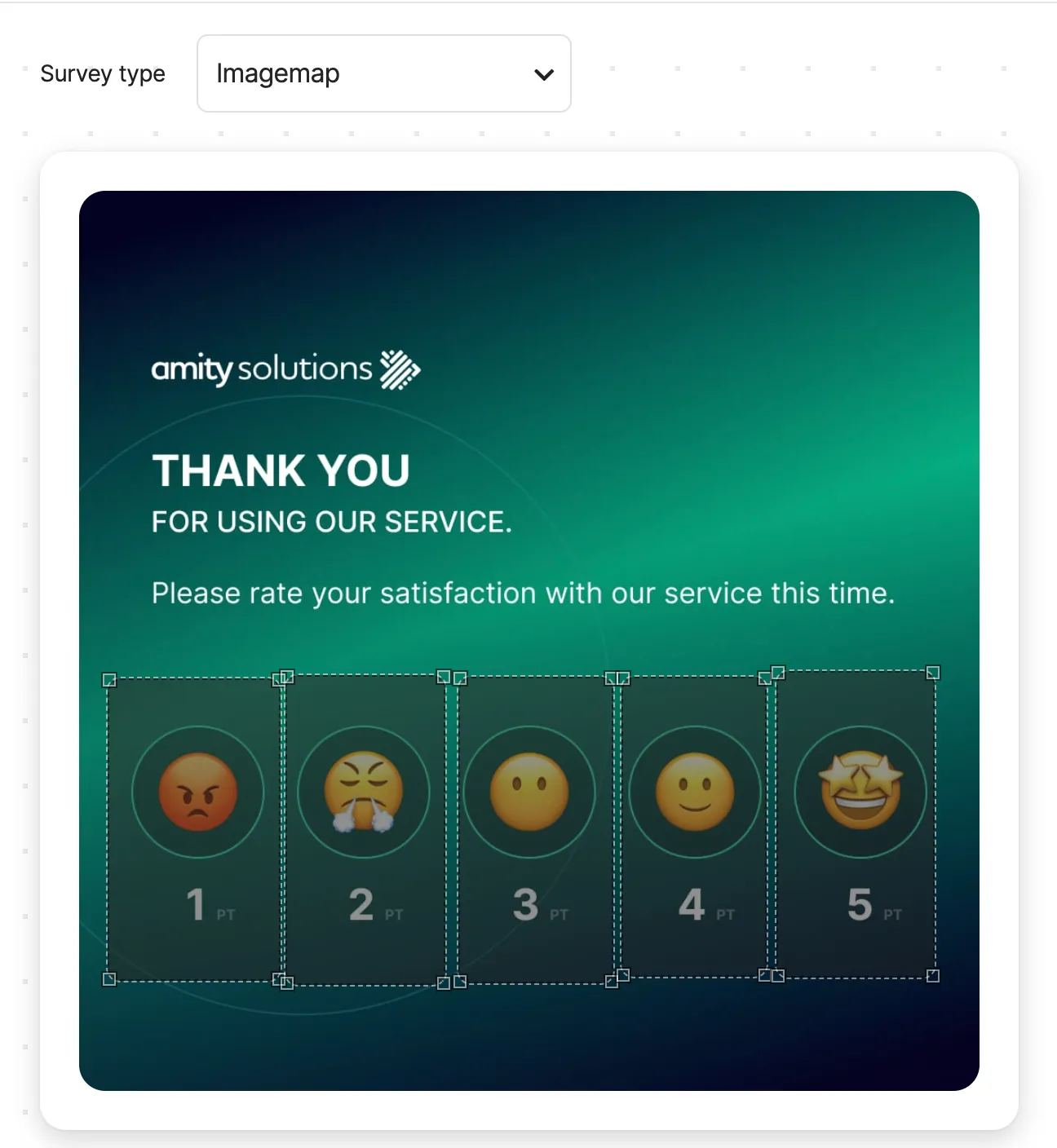
Image Map
Section titled “Image Map”| Field | Spec |
|---|---|
| Options | 2 - 10 options |
| Options label | 1 - 20 characters |
| Image size | 1 MB |
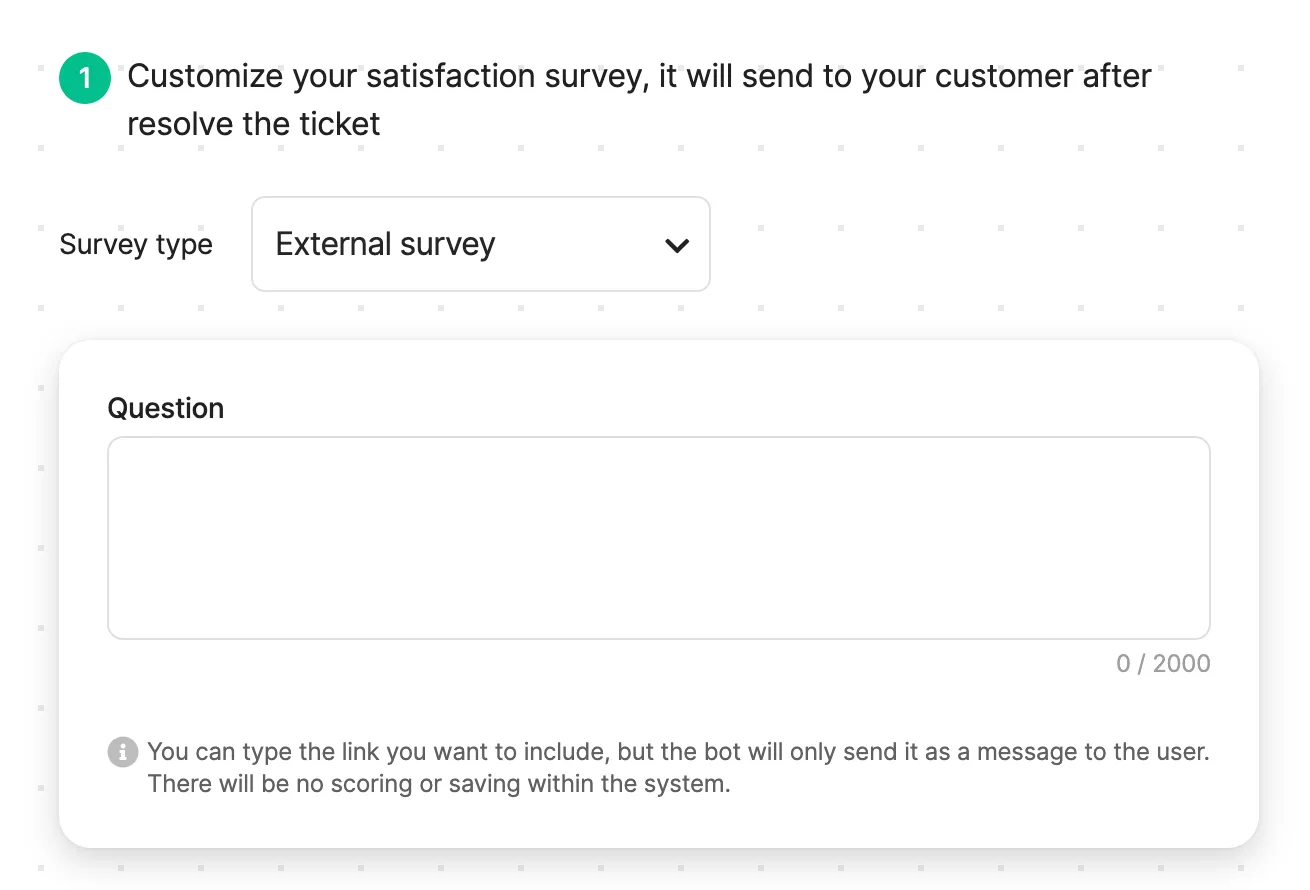
External Link
Section titled “External Link”| Field | Spec |
|---|---|
| Question | 1 - 2000 characters |
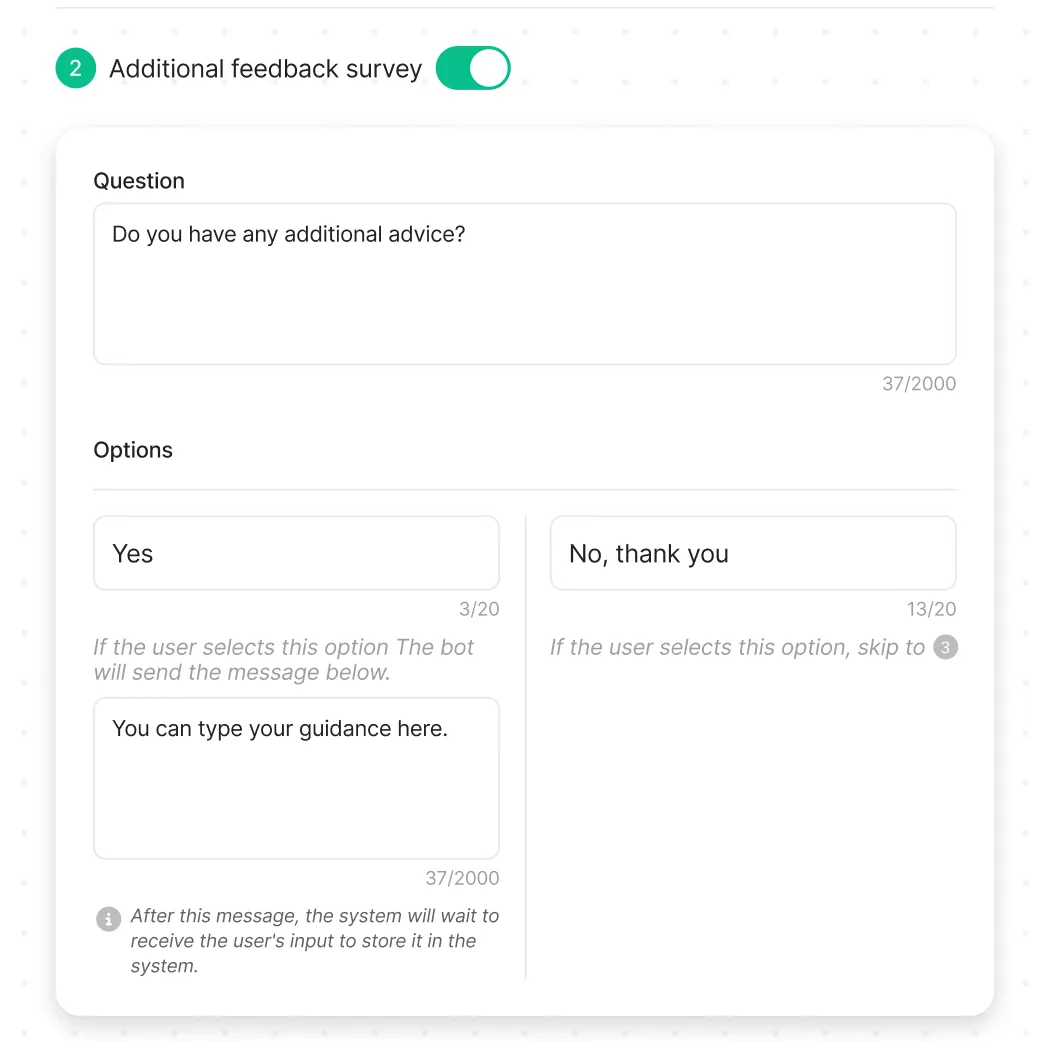
Additional Feedback
Section titled “Additional Feedback”Additional feedback survey is an optional section that admin can select to enabled it or not.
Gratitude Message
Section titled “Gratitude Message”Gratitude message will be sent to users after they respond to a survey or user does not respond within the specified time frame.
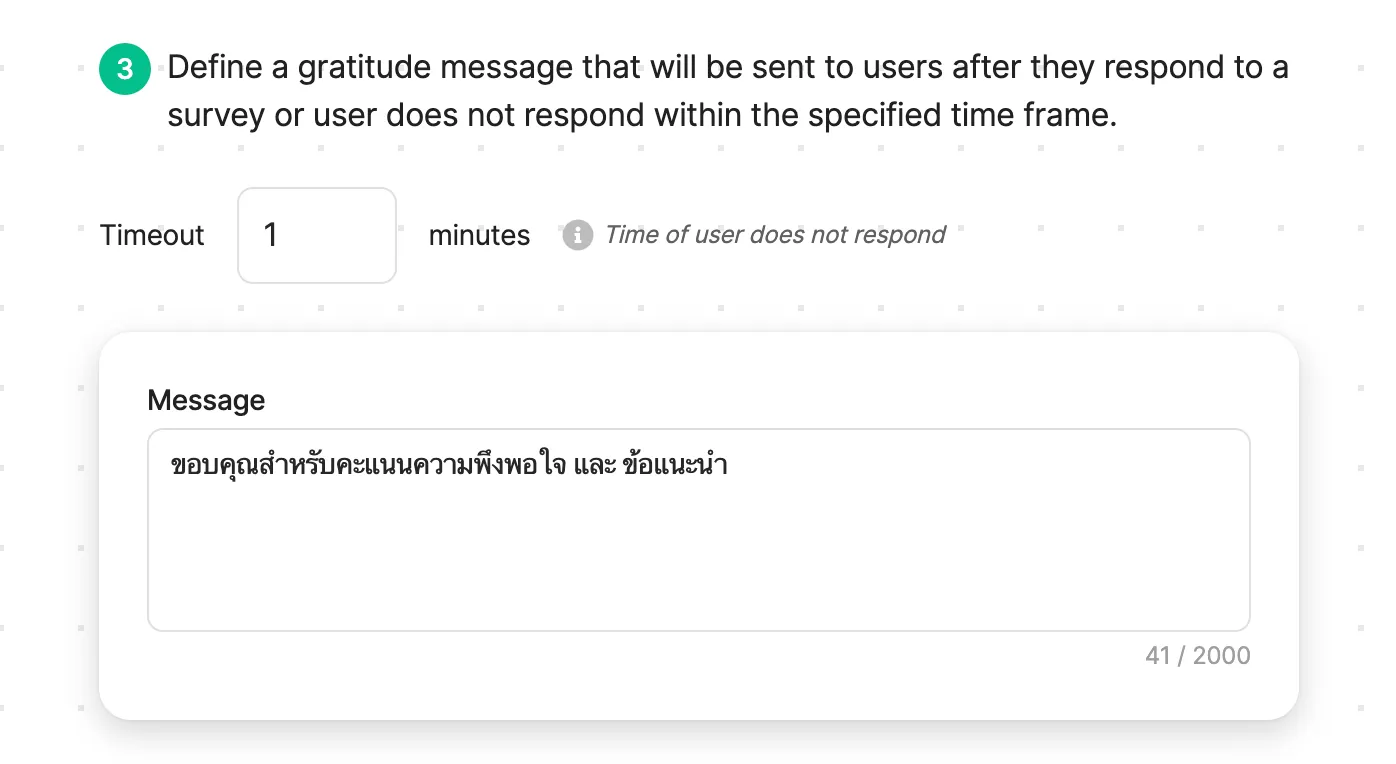
Timeout
Section titled “Timeout”When a user does not submit a feedback score or suggestion within the designated timeframe, the timeout mechanism activates. At this point, an automated gratitude message is sent to the user, thanking them for their participation in the survey process.
Following the sending of the gratitude message, the system will automatically close the survey session.
Was this page helpful?
Thank you for your feedback!